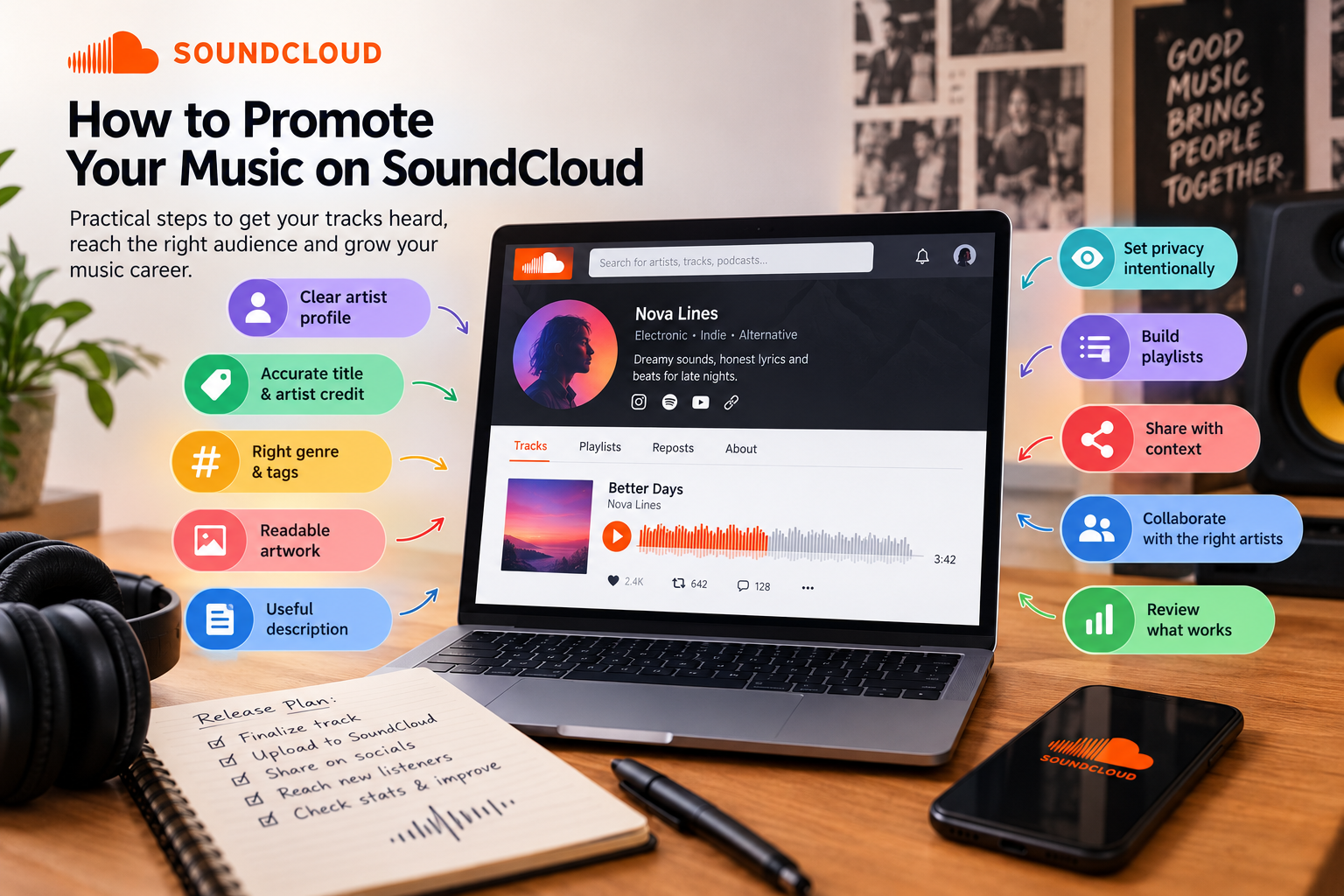
Uploading a track to SoundCloud makes it available to listeners, but it does not automatically introduce it to the people most likely to enjoy it. Independent artists need to make each release easy to identify, give listeners a reason to press play and share it in places where the right audience already spends time.
This guide explains practical ways to promote music on SoundCloud without relying on vague growth promises. Start with the track itself and its information, then build a repeatable plan for sharing, collaboration and reviewing results.
1. Make your artist profile clear
Before promoting a release, check what a new listener sees when they open your profile. Use a recognizable artist name and profile image, write a short bio that describes your sound, and link to your other official channels where appropriate. Keep your profile focused so a listener can quickly find your music and understand what you make.
If you release under more than one project name, keep the identities distinct. A clear profile helps people recognize your work when they see a track shared elsewhere.
2. Give every track an accurate title and artist credit
Use a concise title that tells listeners what the track is. Avoid vague names such as “Track 04” or adding unrelated keywords to the title. Put artist and collaborator credits in the relevant metadata fields instead of making the title difficult to read. SoundCloud lets creators edit a track’s title and metadata after upload, so review these details before sharing the link widely.
3. Choose the right genre and a few specific tags
Tags help describe the sound and subject of a track. Choose one accurate main genre, then add a small number of relevant terms that a listener might use to find that style, mood or scene. A track should not be tagged as several unrelated genres just to appear in more searches.
SoundCloud’s guidance says the genre becomes the first tag and that accurate genre tags can help tracks appear in relevant SoundCloud searches. Use tags that genuinely describe the audio; repeating similar terms does not make a track a better match. See SoundCloud’s track metadata and tagging guidance.
4. Use artwork that is readable at small sizes
Listeners often see cover art as a small square on a phone. Use a clear image that suits the release, stays legible when reduced and is visually consistent with your artist identity. SoundCloud recommends square artwork and suggests an image of at least 800 × 800 pixels; its help guide lists a 2 MB upload limit for artwork. Check the latest requirements in SoundCloud’s artwork guidance before uploading.
5. Write a useful track description
Give listeners context they will not get from the title alone. You might explain the idea behind the track, name collaborators, identify a sample or live recording, or point to the next relevant release. Add only links that help a listener take a clear next step, such as visiting an official artist page or listening to a related playlist.
6. Set the track’s privacy intentionally
If you want anyone to discover the release through your public profile or SoundCloud search, check that the track is public. SoundCloud says private tracks do not appear on a public profile and cannot be found through SoundCloud search. Public tracks can be played, liked or reposted by listeners; making a track public does not guarantee that it will receive plays. Read SoundCloud’s explanation of public and private sharing before release day.
7. Build playlists that help people continue listening
Group tracks into playlists with a clear theme: a release, a particular sound, a set of collaborations or a collection of works-in-progress. Give each playlist a descriptive title and arrange tracks in an order that makes sense to a listener. A playlist can make it easier to explore more of your catalogue after someone discovers one song.
8. Share the release with context, not just a link
When you share a SoundCloud track on another platform, add a short explanation of what listeners will hear and why you are sharing it. A brief studio clip, an explanation of a lyric or a note about a collaborator can make the post more personal than a bare link. Direct the post to people who may enjoy that music rather than posting the same message everywhere repeatedly.
SoundCloud’s sharing tools let artists distribute public track links through external apps and social channels. Its feed also shows public uploads and reposts to followers. Plan your announcement around the release, then share meaningful updates instead of repeatedly reposting the same link. See SoundCloud’s guide to sharing tracks and playlists.
9. Collaborate with artists whose audiences overlap
A collaboration works best when both artists have a genuine connection to the track. Credit contributors accurately, agree on how each person will share the release and give each collaborator useful material such as the artwork, link and a short description. A relevant collaboration can introduce your music to listeners who already care about a similar sound, though audience response will vary.
10. Review what listeners respond to
After a release, compare how people interact with different tracks and where listeners found them, using the statistics available to your account. Look for patterns: perhaps a certain genre, collaboration or type of post brings more meaningful listening. Use those observations to shape your next release plan rather than treating one track’s results as a guarantee of future performance.
Where SoundCloud promotion services fit
Promotion services are one optional part of a broader release plan. They do not replace good music, accurate metadata, a clear artist profile or sharing with a relevant audience. Before choosing any service, review its target requirements, current price, order limits and terms. You can explore SMMCute’s SoundCloud service guide and check the current listing details in your account.
Make each release easier to discover
A practical SoundCloud promotion routine starts with the basics: make the profile recognizable, use accurate track information, choose relevant tags, prepare readable artwork and set the right privacy. Then share the release with context, work with relevant collaborators and review what listeners respond to. These steps cannot guarantee a certain number of plays, but they give interested listeners a clearer path to find and explore your music.