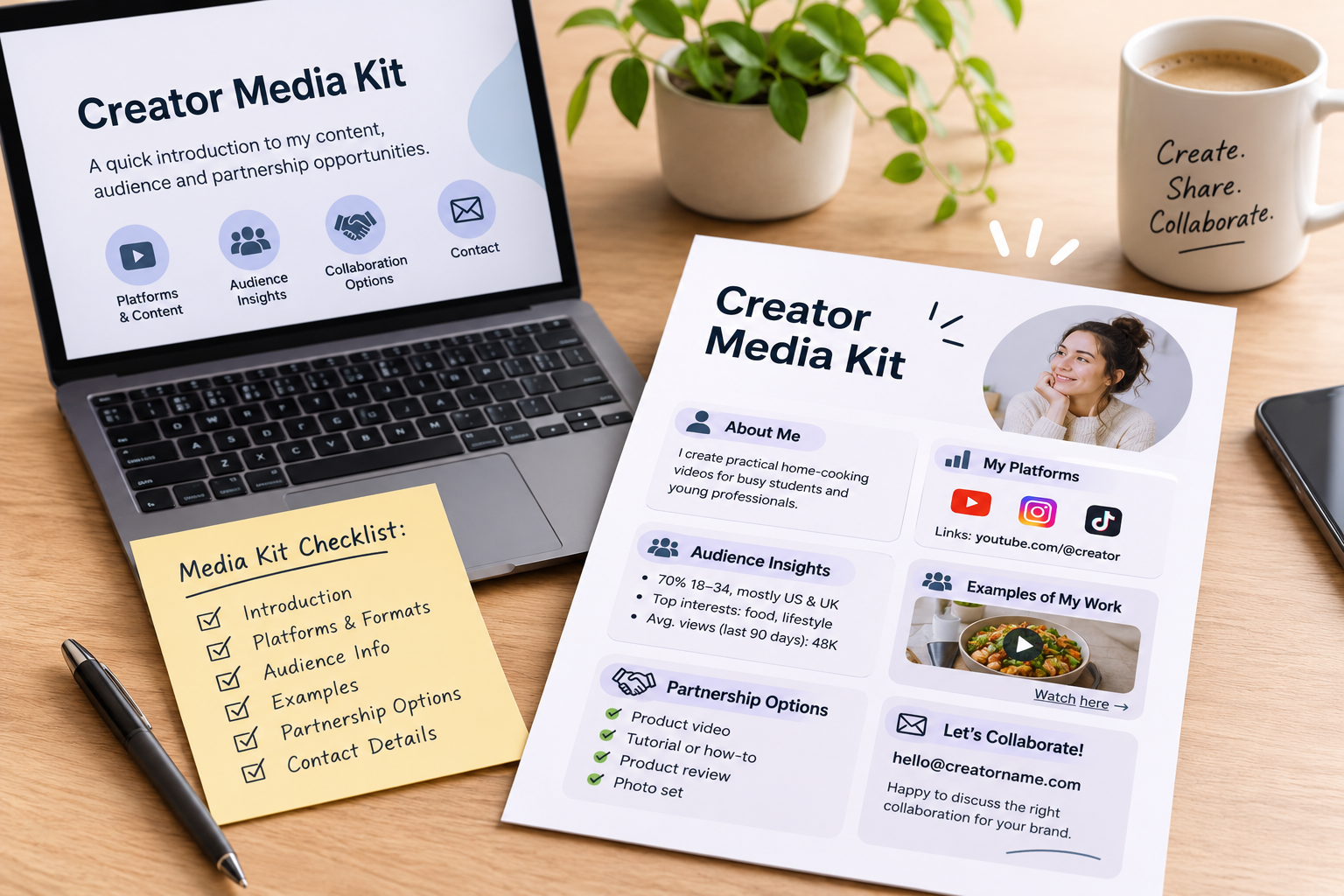
A brand considering a creator partnership needs to understand what you make, who your content is for and what kind of collaboration you can offer. A creator media kit puts that information in one clear, easy-to-share document.
It does not need elaborate design or impressive-sounding claims. It needs accurate details, useful examples and a clear way for a brand to contact you.
What is a creator media kit?
A creator media kit is a short introduction to your content and partnership opportunities. Think of it as a professional snapshot you can send when pitching a brand or responding to a collaboration inquiry.
It is different from a portfolio: a portfolio mainly shows your work, while a media kit also explains your audience, channels and potential partnership formats. You can combine them in one document if that makes it easier to share.
What to include in your media kit
1. A short introduction
Start with your name or creator name, the topics you cover and the audience you create for. Keep this specific.
Instead of:
I create content about lifestyle and different things.
Try:
I create practical home-cooking videos for busy students and young professionals.
Only describe an audience or specialty if it accurately reflects your content.
2. Your platforms and content formats
List the channels where you actively publish, then describe the formats you make. For example:
- Short-form product demonstrations
- Tutorials and how-to videos
- Reviews based on personal use
- Photography or carousel posts
- Livestreams or longer videos
Include links to your profiles. Choose a few examples that represent your current work rather than listing every account you have ever opened.
3. Audience information
Share relevant audience details only when you can verify them in the platform’s own analytics. Depending on the partnership, useful information may include:
- Audience location
- Age ranges
- Topics your audience engages with
- Recent reach or views
- Engagement on relevant content
Label the time period for any performance figures, such as “average views over the last 90 days.” Don’t present one unusually successful post as your typical result. If your audience is still growing, focus on your content niche and the quality of your work instead of trying to hide the numbers.
4. Examples of your work
Add links or screenshots of a small selection of posts. Choose examples that show how you explain, demonstrate or feature something—not only posts with the highest view count.
If you have already worked with brands, include those examples only if you have permission to share them. Make clear whether a post was sponsored, gifted or independently created.
5. Partnership options
Tell brands what you can produce. Possible options include:
- A short video featuring a product
- A tutorial showing how a product is used
- A product review based on your own experience
- A set of photos for a campaign
- A livestream or event appearance
These are examples, not promises. Offer only formats you can deliver, and explain any limits that matter, such as your production time or the platforms you use.
6. Contact details and next step
Make it easy to reach you. Include a professional email address and the best way to discuss a project. You can finish with a simple invitation:
Interested in working together? Email me with the product, campaign goal, timeline and deliverables you have in mind.
How to build a useful media kit
Before designing the document, decide which kind of collaboration you want to attract. A brand looking for product tutorials may care more about your ability to explain a product clearly than your total follower count.
Then:
- Review your recent posts and select a few relevant examples.
- Check your platform analytics and note the dates covered.
- Write a brief description of your content and intended audience.
- Choose partnership formats you can realistically create.
- Put the information into a simple one- or two-page document.
- Check every statistic, link and contact detail before sharing it.
A clean PDF is easy to email, but a web page or portfolio link can work too. Use a file name that identifies you, such as CreatorName-Media-Kit.pdf, and update the document when your content or audience information changes.
What to avoid
A media kit can lose credibility when it:
- Uses outdated or unverifiable audience figures
- Claims guaranteed views, sales or campaign results
- Includes every post instead of a few relevant examples
- Uses vague descriptions that don’t explain your content
- Lists services or formats you cannot provide
- Makes it hard to find your contact information
Be transparent about what you know and what you can deliver. A clear, modest media kit is more useful to a potential partner than inflated claims.
A simple creator media kit checklist
Before sending yours, check that it includes:
- Your creator name and a clear description of your content
- Links to your active platforms
- A few relevant work samples
- Audience information with its source and date range
- Partnership formats you can offer
- A professional contact method
- Accurate, current information
Your media kit is a starting point for a conversation, not a guarantee of a brand deal. Keep it specific to your work, make it easy to review, and tailor your pitch to explain why the proposed collaboration makes sense for that brand and its audience.